What does Lifeline cover? A monthly discount on phone, internet, or bundled service, one per household.
Below you will see exactly what the discount applies to, what it never pays for, and the rules that get people dropped.
Read to the end and you will know whether Lifeline fits your bill and how to check with the official program.
What Lifeline covers and how much the discount is
Lifeline covers a monthly discount of up to $9.25 on phone, internet, or bundled service for a qualifying household. On qualifying Tribal lands the discount is up to $34.25. Those figures come from the Universal Service Administrative Company (USAC), which runs the program for the Federal Communications Commission (FCC).
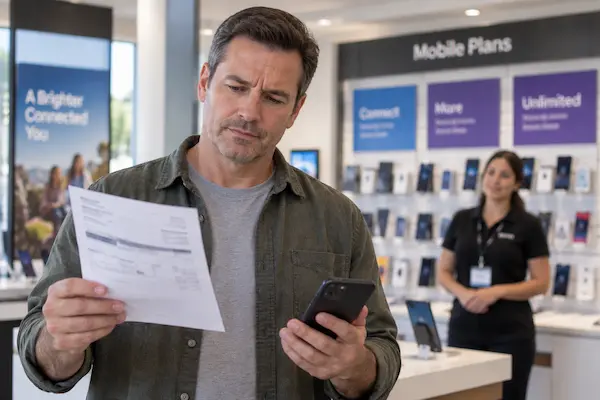
The discount can be applied to three kinds of service: home phone, mobile phone, or high-speed broadband. USAC describes Lifeline as a way to lower the monthly cost of phone or internet service, and a household chooses which one the benefit goes to.
Because the benefit is a discount and not a payment to you, it shows up as a lower bill or, with some providers, as a plan that costs nothing out of pocket. That is why many people describe it as a free phone or free service, even though the program itself pays a fixed amount toward the plan.
| Item | What Lifeline provides |
|---|---|
| Standard discount | Up to $9.25 per month |
| Tribal lands discount | Up to $34.25 per month |
| Eligible services | Home phone, mobile phone, or broadband |
| Benefits per household | One |
| Mobile data minimum | 4.5 GB per month at 3G or better |
| Mobile voice minimum | 1,000 minutes per month |
The last two rows come from USAC’s minimum service standards, which set the least a Lifeline plan must include. USAC lists 1,000 minutes for mobile voice, 4.5 GB at 3G or better for mobile broadband, and 25/3 Mbps with a 1,280 GB usage allowance for fixed broadband. USAC notes these standards are evaluated annually, so confirm the current figures on the USAC site before you compare plans.
Knowing what is included is only half the picture. The next section covers what many people wrongly expect Lifeline to pay for.
What Lifeline does not cover
Lifeline does not cover a second line in the same household, the full cost of a premium plan, or the device itself, and it does not send money to you.
The one-per-household rule is the most common surprise. USAC states that only one discount is allowed per household, and defines a household as a group of people who live together and share income and expenses. Two adults sharing rent and groceries count as one household, so only one of them can carry the benefit.
The discount also goes to one service, not several. If you apply it to mobile service, it does not also reduce your home internet bill. Some providers offer a bundled plan, and in that case the single discount applies to the bundle.
Devices deserve a clear word. Some Lifeline providers include a basic phone or a low-cost device as part of their commercial offer. That device is the provider’s decision, not a program rule, and the model, condition, and terms vary by company. If a provider promises a specific phone, ask for the terms in writing.
Those limits shape what your bill looks like month to month, which is what the next section walks through.
What changes in your monthly bill with Lifeline
With Lifeline, one qualifying service in your household costs up to $9.25 less each month, or up to $34.25 less on qualifying Tribal lands, and nothing else on the bill changes.
Illustrative example: a single adult who qualifies through the Supplemental Nutrition Assistance Program (SNAP) picks a mobile plan from a Lifeline provider. The plan meets the minimum standards, so it includes at least 4.5 GB of data and 1,000 minutes. The $9.25 discount is applied by the provider. If the plan’s price is at or below the discount, the monthly cost out of pocket can be zero. If the plan costs more, the difference is what the subscriber pays.
The same household cannot add a second Lifeline line for a partner who shares expenses. If the adult wanted the discount on home internet instead, the mobile benefit would have to be moved, not duplicated.
⚠️ Attention: USAC states that if you do not pay out of pocket for your Lifeline service every month, you must use it at least once every 30 days to keep it. A phone left in a drawer can lose the benefit.
There is also a yearly check. USAC or your state will verify that you still qualify. If you are asked to recertify, USAC says you must do so within 60 days or you lose the benefit. Keeping your address and contact details current with your provider makes that step easier.
If the discount fits your situation, applying takes a few clear steps. Here they are.
How to apply the Lifeline discount to your service step by step
Before you start, gather proof of a qualifying program or of household income, since USAC says you may have to show a benefit letter, a tax return, or three consecutive pay stubs.
- 1Confirm you may qualify through a program such as SNAP, Medicaid, Supplemental Security Income (SSI), Federal Public Housing Assistance, or Veterans Pension and Survivors Benefit. Household income at or below 135 percent of the Federal Poverty Guidelines also counts.
- 2Decide which service gets the discount: mobile, home phone, or broadband. Only one can carry it.
- 3Apply through the official channel. USAC says you can apply online, by mail, or with help from your phone or internet company. The online route runs through the program’s National Verifier.
- 4Upload proof if the system cannot confirm your program participation or income automatically.
- 5Choose a participating provider in your state and ask how the discount will show on the plan you pick.
- 6Use the service at least once every 30 days and answer the yearly recertification request on time.
Common mistakes: applying twice for the same household, letting a free plan sit unused, and missing the recertification window. If your application is denied, the notice explains the reason, and you can submit different proof or apply again once your situation changes.
The questions below cover the details that come up most often about what the program includes.
Frequently asked questions about Lifeline coverage
Short answers to the questions people search for most.
Does Lifeline cover internet?
Yes. USAC lists high-speed broadband as one of the three services the discount can apply to, along with home phone and mobile phone. You choose one service for the benefit.
What is the Lifeline discount amount?
Up to $9.25 per month for most qualifying households and up to $34.25 per month on qualifying Tribal lands, according to USAC. The amount is a discount on the bill, not a payment to you.
Does Lifeline include data?
A mobile broadband Lifeline plan must meet USAC’s minimum service standard, currently 4.5 GB per month at 3G or better. Providers can offer more than the minimum, so compare plans.
Can two people in the same house both get Lifeline?
Not if they share income and expenses. USAC allows one discount per household and defines a household as people who live together and share income and expenses. Separate households at one address may each qualify.
Does Lifeline give you a free phone?
The program provides a service discount, not a device. Some providers include a phone in their own offer. Ask the provider what device is included and on what terms before you sign up.
Lifeline is one of several programs this site explains. Here is how the guides connect.
How this site helps you understand social programs
This site explains United States assistance programs in plain language so you can decide whether one fits before you spend time applying.
The Social Programs section covers what each program pays for, who may qualify, what documents are typical, and where the official application channel is. Lifeline is a good example of why that matters: the difference between “free phone” in an ad and “up to $9.25 a month toward one service” in the rules changes what you should expect.
Every program guide follows the same approach. Figures come from the agency that runs the program, in this case USAC and the FCC. Rules that change yearly, such as income thresholds, are described as changing and pointed back to the official source. And no guide promises approval, because only the program can decide that.
✅ How we checked this information: discount amounts, eligible services, the one-per-household definition, the 30-day usage rule, and the 60-day recertification window were read on USAC’s Lifeline pages (usac.org and lifelinesupport.org). USAC administers the program for the FCC.
If a program guide and a provider’s ad disagree, trust the program’s own site and ask the provider to show where its offer is written.
Check your eligibility with the official program
You now know what Lifeline covers: one discount, one service, one household, with minimum data and minutes set by USAC. The next step is to check whether you may qualify through a program you already receive or through your household income, then apply through the National Verifier or with a participating provider.
Keep the proof documents ready, pick the service that saves you the most, and set a reminder to use the line every month. That is all it takes to keep the benefit once it is approved.
ℹ️ Important: this is an independent site. It is not affiliated with any government agency, with USAC, the FCC, or any company mentioned. Program rules and amounts can change; confirm current details with the official Lifeline program before you apply.