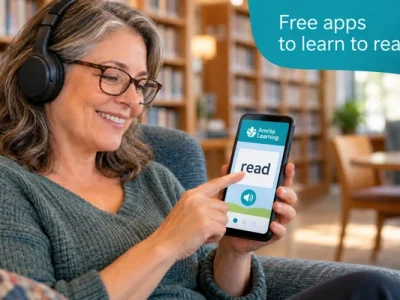
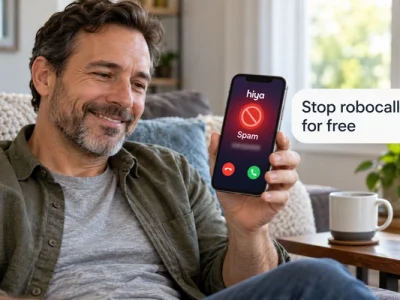
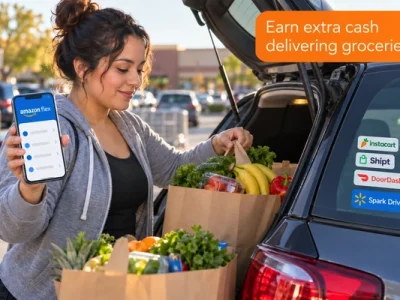
The best free apps for your phone solve one real problem each, cost nothing, and ask for very little.
Below you will see which kinds of free apps are worth the space and the ones that quietly cost you data or money.
Read to the end and you will have a simple filter to test any app before you tap install.
What counts as the best free apps for your phone
The best free apps for your phone are the ones that do a job you already need done, with no subscription hidden behind the install button. That job can be blocking scam calls, practicing for a driver’s permit, tracking a budget, or finding paid gig work near you.
A good free app has three traits. It is fully usable without paying. It asks only for the permissions its job requires. And it comes from the official app store for your device, so the store’s safety checks apply.
Google explains that Google Play Protect runs a safety check on apps from the Google Play Store before you download them and warns you about potentially harmful apps. Google says the feature is on by default and recommends you keep it on. Apple’s App Store applies its own review to every app before it is listed.
Here is how the categories this site covers line up with what a free app should do for you.
| Category | What a good free app does |
|---|---|
| Call safety | Labels and filters spam calls automatically |
| Driving prep | Practice questions for your state’s permit test |
| Money | Tracks a budget without a paid upgrade |
| Learning | Reading, math, or English lessons in short sessions |
| Gig work | Lets you sign up and get paid without fees to join |
| Benefits | Official portals to check or manage a program |
Notice that none of these categories needs a paid app to get value. The difference between a useful free app and a frustrating one is usually in how it is built, and that is where the next section starts.
What changes when your phone starts working for you
The change is practical: fewer interruptions, fewer surprise charges, and a few daily tasks that take minutes instead of an afternoon.
Think about a typical week before you sort your apps. Your phone rings with unknown numbers during dinner. You are not sure how much money is left until the next paycheck. A permit test is coming up and the handbook sits unopened. You pay for two subscriptions you forgot you had.
Now picture the same week with three or four useful free apps in place. Spam calls get filtered before they ring. Your budget app shows what is left in the grocery category before you shop. Ten practice questions fit into the bus ride. A subscription tracker flags the charge you meant to cancel.
The Federal Trade Commission (FTC) calls call-blocking technology your best defense against unwanted calls, and the same logic applies to the rest of your phone. The right tool, set up once, keeps working while you do other things.
✅ Tip: start with the app that removes your biggest daily annoyance. One well-chosen app you actually open beats ten you never use.
That result depends on skipping the apps that look free and are not. The next section shows what to avoid.
Free apps to skip and the red flags to watch
Skip any app that blocks its core feature behind a trial, asks for permissions unrelated to its job, or is only available outside the official app store.
“Free to download” and “free to use” are different promises. Many apps let you install for free, then show a paywall the moment you try to do the thing you came for. Others work for seven or fourteen days and then charge a monthly fee unless you cancel.
The FTC advises checking the privacy settings on your smartphone to see what information apps can access, turning off unnecessary permissions, and deleting apps that request a lot of permissions they do not need to function. A flashlight app that wants your contacts is telling you something.
One more category deserves care: apps that promise to “check if you qualify” for a government program. Official programs have official channels. An app may help you find information, but it does not decide eligibility, and it should never charge you to apply.
With the red flags in mind, choosing well becomes a short routine. Here is the routine.
How to choose useful free apps step by step
You need only your phone, the official app store, and about five minutes per app.
- 1Name the job in one sentence before you search. “Block spam calls” or “practice permit questions” keeps you from installing five apps for one task.
- 2Check what is built in first. Android and iPhone already include call filtering, timers, notes, and file scanning. You may not need a download at all.
- 3Open the store listing and read the “in-app purchases” line, the developer name, and the most recent one-star reviews. The complaints tell you what the paywall hides.
- 4Review the permissions the app asks for on first launch. Deny anything that does not match the job and see if the app still works.
- 5Skip the account when the app offers a “continue without signing in” option. Fewer accounts mean fewer passwords and less data shared.
- 6Use it for a week, then decide. If you did not open it, delete it. Storage and attention are both limited.
The most common mistake is installing several apps for the same job and using none of them. The second is accepting a free trial without setting a reminder to cancel. If a trial slipped through, cancel it in your app store subscriptions page, not inside the app, so the cancellation is recorded by the store.
Some questions come up every time people compare free apps. The answers below are short on purpose.
Frequently asked questions about free apps
These are the questions people ask most often when they search for useful free apps.
What are the best free apps everyone should have?
There is no single list that fits everyone, but most people benefit from a call filter, a budget tracker, and one learning app tied to a goal they already have, such as a permit test or a certification. Start with those three and add only what you will open weekly.
Are free apps really free, or do they sell my data?
Some free apps earn money through ads or by collecting data, and others are free versions of a paid product. The store listing’s privacy section and the permissions the app asks for are the fastest way to tell the difference. The FTC recommends turning off permissions the app does not need.
How do I know if a useful free app is safe to install?
Install only from Google Play or the Apple App Store, keep Google Play Protect on if you use Android, check the developer name, and read recent reviews. Google states that Play Protect checks apps before download and warns about potentially harmful ones.
Do I need a separate app to block spam calls?
Often no. The Google Phone app and Samsung phones include caller ID and spam filtering, and iPhone can silence unknown callers. A third-party app adds value mainly when the built-in tools miss too many calls for your situation.
What is the best free budget app without a bank link?
Apps with a manual-entry free plan, such as EveryDollar or Goodbudget, let you track spending without connecting an account. You type in each expense, which takes more effort but keeps your login details out of the app.
If you still have a question after this list, it probably belongs to one of the deeper guides described next.
How this site helps you get more from your phone
This site exists to explain, in plain language, how everyday tools and programs work in the United States, and free phone apps are a big part of that.
The Apps and Tools section is built as a set of practical guides. Each one takes a single job and shows how to do it with what your phone already has, or with a free app that has been checked against the red flags above. You will find walkthroughs for blocking robocalls on Android and iPhone, comparisons of budgeting apps by the features that matter, guides to permit practice apps by state, and explainers on learning apps for adults.
Other sections connect to the same phone. The Social Programs guides describe how programs such as Lifeline work and where the official application channels are. The Career and Education guides cover paths such as adult basic education and nursing assistant certification, often with app-based study tools. The Gig Work guides explain what delivery and task apps pay and how sign-up works.
Every guide names its sources in the text, avoids promises about outcomes, and is updated when a program or an app changes. That is the standard you can expect from the pieces that branch out from this hub.
Start with one app this week
Pick the job that annoys you most, apply the six steps above, and install one app for it today. Give it a week, then keep it or delete it. That single habit, repeated, is how you end up with a phone full of the best free apps for your needs and nothing else.
When you are ready for the next job, the category guides on this site walk you through each one in the same plain style: what the tool does, what it costs, and what to skip.
ℹ️ Important: this is an independent site. It is not affiliated with any government agency or with any company or app mentioned. App features, prices, and permissions can change; confirm details in the official app store listing before you install.