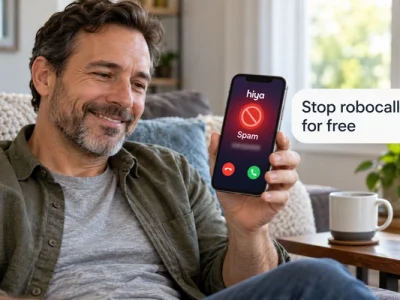
The best apps to stop robocalls are often the ones already on your phone or offered free by your carrier.
Below, six tools are ranked by cost, how they handle a suspicious call, setup effort and privacy.
Read to the end and you will know which two to turn on today and how to stack them.
Best apps to stop robocalls: the ranking
The best apps to stop robocalls, ranked by cost, blocking behavior, setup and privacy, start with your carrier’s free tool, then your phone’s built-in screening, and only then a third-party app. That order is not about brand loyalty. It follows what the Federal Trade Commission (FTC) lists as the three ways to block calls on a mobile phone: carrier services, built-in phone features and call-blocking apps.
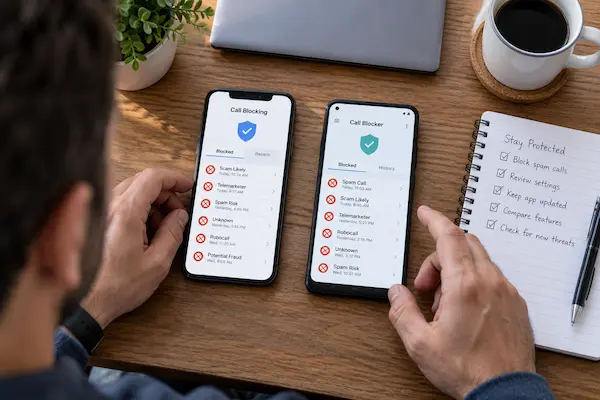
Here is the ranking. Each entry is scored on the same four criteria, explained in the next section.
| Rank and tool | Why it ranks here |
|---|---|
| 1. Your carrier’s tool | Free tier, blocks at the network, nothing to install |
| 2. iPhone call screening | Built in, free, asks unknown callers why they call |
| 3. Google Call Screen | On-device screening on Pixel, no data sent out |
| 4. Hiya | Caller ID, scam blocking and call screening in one app |
| 5. Nomorobo | Large robocaller database, paid mobile plans with trial |
| 6. RoboKiller | Audio fingerprinting, answer bots, free tier plus paid plans |
Carrier tools take first place because they act before the call reaches your handset. T-Mobile’s Scam Shield, for example, labels suspected calls as “Scam Likely” at no charge and lets you turn on Scam Block by dialing #662#, according to T-Mobile’s own product page. AT&T and Verizon offer their own apps, ActiveArmor and Call Filter. The FTC advises checking your provider’s website or calling customer service to see what call-blocking or call-labeling services it offers. What the four criteria measure, and why privacy pulls some famous apps down the list, is next.
The four criteria behind the ranking
The ranking uses four criteria that the FTC itself suggests when comparing call-blocking services: cost, whether the tool blocks or only labels, what happens to the blocked call, and how the app treats your privacy. A tool that scores well on all four beats one that blocks slightly more but reads your entire contact list.
Built-in screening ranks high on privacy. Apple’s support documentation describes three settings for unknown callers: “Never”, “Ask Reason for Calling”, which screens the caller before your phone rings, and “Silence”, which sends those calls straight to voicemail. Google’s Phone app documentation says Call Screen on Pixel works on the device and does not use Wi-Fi or mobile data, with automatic screening available in the United States.
Third-party apps rank lower not because they fail, but because the FTC notes they work by using call data and reports from users, the FTC and other sources to predict which calls are likely scams, and some ask for contact-list access. That trade-off is worth it for some people, which is why they still make the list. Hiya describes its app as blocking scams, spotting AI voices and screening calls. Nomorobo’s site describes a database of more than ten million known robocallers, with mobile plans that require a subscription after a free trial. RoboKiller says it uses predictive analytics and audio fingerprinting, offers a free tier alongside paid plans, and adds Answer Bots that keep scammers on the line. Before choosing, it helps to picture what a quiet phone actually changes.
What changes when the calls finally stop
When robocalls stop, the biggest change is not silence; it is that you start answering your phone again, because an unknown number is no longer a threat by default. Missed calls from a doctor’s office, a school or a delivery driver stop slipping through. And the risk of a scam call catching you on a tired evening drops with it.
Consider the problem first. Every week brings a mix of fake warranty offers, “your account is suspended” recordings and spoofed local numbers. You silence the phone, and then you miss the pharmacy. The agitation is real: the FTC warns that being on the National Do Not Call Registry will not stop scammers from making illegal calls, so waiting for the law to fix it does not work.
The solution is a layered setup: one network-level tool from your carrier, one built-in screening feature on the handset, and, only if calls still get through, one third-party app with a privacy policy you have read. Each layer catches what the previous one missed. One warning before you build it.
⚠️ Watch out: the FTC reminds consumers that the Do Not Call Registry does not stop illegal callers. Report unwanted calls at DoNotCall.gov, and report scams where you lost money at ReportFraud.ftc.gov.
With that expectation set, the setup itself takes about fifteen minutes. The steps below work for both iPhone and Android, with the differences called out.
How to set up the best robocall blocker app in layers
You need your carrier account login, your phone updated to the latest software, and a few minutes without interruptions. No purchase is required for the first three steps.
- 1Activate your carrier’s free tool in the carrier app or account page. On T-Mobile, Scam Block can also be turned on by dialing #662#.
- 2Turn on built-in screening: on iPhone, open Phone settings and choose “Ask Reason for Calling” or “Silence” for unknown callers; on Pixel, open the Phone app settings and enable Call Screen.
- 3Enable the spam filter so filtered calls land in a separate list. Apple’s documentation describes a Spam list and an Unknown Callers list inside Call Filtering.
- 4Save the numbers you must never miss, such as your doctor, your child’s school and your pharmacy, so screening never touches them.
- 5Wait one week and check the spam and voicemail lists. If real calls were caught, loosen the setting; if robocalls still ring, add an app.
- 6Install one app only, from the official app store, after reading its privacy policy and checking whether it needs your contacts, as the FTC recommends.
The most common mistake is installing two or three apps at once. They compete for the same call-handling permission and you cannot tell which one is working. The second is choosing “Silence” for unknown callers while waiting for a callback from a new employer or clinic. Use “Ask Reason for Calling” on iPhone or a screening level on Pixel during those weeks instead.
Frequently asked questions about call blocking apps
What is the best free call blocker?
For most people, the free tier of your carrier’s tool combined with your phone’s built-in screening. Both cost nothing, need no extra permissions and block or screen calls before you are disturbed.
Do the best call blocking apps stop every robocall?
No. The FTC explains that apps predict which calls are likely scams from call data and reports, so new or spoofed numbers can still get through. Layering a carrier tool, phone settings and one app catches the most.
Is the best robocall blocker app safe to give my contacts to?
Only if its privacy policy explains what it does with them and you are comfortable with that. The FTC specifically lists contact-list access as something to check before choosing a service.
Does Silence Unknown Callers block calls from my doctor or my kid’s school?
It can, if the number is not saved in your contacts. Apple’s documentation says the “Silence” option sends unsaved numbers to voicemail. Save important numbers first, or use “Ask Reason for Calling” instead.
Will registering on the Do Not Call list stop robocalls?
It reduces legal telemarketing calls, but the FTC is clear that being on the Registry will not stop scammers making illegal calls. Blocking tools are still needed.
How this site helps you choose apps and tools
The Apps & Tools section of this site exists for one reason: to explain, in plain language, which apps are worth installing and which settings you already own but have never turned on. Robocall blocking is a good example. Most readers arrive looking for a download and leave having fixed the problem with two free settings.
Around this ranking you will find guides on protecting your phone from scam texts, choosing privacy-friendly apps, and understanding what permissions really mean. Every recommendation is checked against the company’s own support documentation and against consumer guidance from agencies like the FTC and the Federal Communications Commission (FCC), which are named in the text so you can verify them.
We do not accept payment from app makers for placement, and rankings change when products change. If a tool moves up or down, the criteria stay the same.
Turn on two layers today
You came looking for the best apps to stop robocalls and you now have a ranked list, the criteria behind it and a setup order. The fastest win is not a download. It is activating your carrier’s free tool and switching on your phone’s built-in screening, which together take less time than reading this article did.
Do those two now, give them a week, then decide whether a third-party app is worth the subscription and the permissions. Whatever you choose, keep reporting unwanted calls to the FTC; those reports feed the databases every tool on this list depends on.
ℹ️ Important: this is an independent site, not affiliated with any government agency or company mentioned. Content is informational only. App features, prices and carrier offerings change; confirm details in each company’s official support pages and in FTC and FCC consumer guidance.