If you are asking “do I need a VPN on my phone,” the honest answer is: sometimes, and not the free one.
A VPN fixes a narrow set of problems and creates a new one most people never consider.
Read to the end and you will know when a VPN helps, when it is wasted money, and how to pick one safely.
Do you need a VPN on your phone? The short answer
You need a VPN on your phone if you regularly use public Wi-Fi for sensitive tasks, want to hide your browsing from the network you are on, or need to reach services as if you were in another location. You probably do not need one if you mostly use your carrier’s mobile data at home and visit ordinary websites.
A VPN (virtual private network) is an app that routes your phone’s internet traffic through a server run by the VPN company. The Federal Trade Commission (FTC) explains that data sent from your phone, such as your browsing data or the apps you use, is first routed through servers controlled by the VPN provider. Good VPN apps also encrypt the traffic between your phone and that server, so anyone on the same Wi-Fi sees only scrambled data.
Here is where the “sometimes” comes from. The FTC also notes that connecting through public Wi-Fi is usually safe because most websites already use encryption, shown by the lock symbol or “https” in the address bar. That encryption protects what you send to a legitimate site whether or not you have a VPN. A VPN adds a second layer and hides which sites you visit from the network operator.
The table below sums up common situations.
| Your situation | Is a VPN worth it on your phone? |
|---|---|
| Banking on airport or cafe Wi-Fi | Helpful as an extra layer |
| Travel and using services from home | Often useful; check the service’s terms |
| Hiding browsing from a shared network | Yes, that is what a VPN does |
| Mobile data at home, normal browsing | Usually not needed |
| Wanting to be anonymous online | No, a VPN does not do that |
The last row matters most. The FTC is direct about it: a VPN app does not make you anonymous. It shifts trust from your internet provider to the VPN company. That trade is the core of the next section.
What changes on your phone when a VPN is on
With a VPN on, the network you are connected to sees only an encrypted stream going to one server, and websites see the VPN server’s location instead of yours. In exchange, the VPN company sees everything the network used to see.
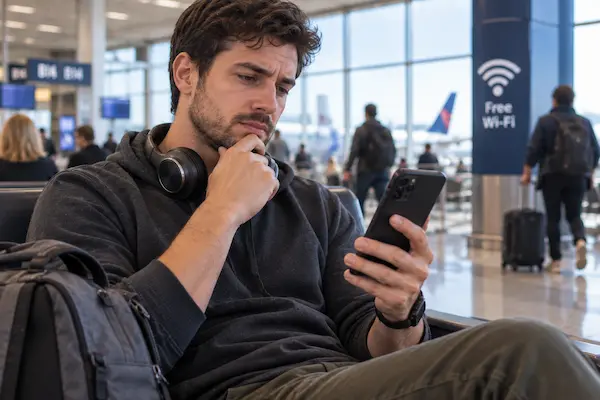
Illustrative example: a student studies at a coffee shop most afternoons. She checks her bank balance, logs into her school portal, and scrolls social media on the shop’s open Wi-Fi. Without a VPN, the shop’s network can see which domains she visits, even though the content of each https page is encrypted. If someone sets up a fake hotspot with the shop’s name, she could connect to it without noticing.
With a reputable VPN turned on, her phone encrypts all traffic before it leaves, so the hotspot, real or fake, learns nothing useful about where she goes. Her bank still sees her normal login. The bridge between the two scenes is one app and the discipline to turn it on before using untrusted Wi-Fi.
The cost of that bridge is trust. The FTC warns that when you use a VPN app, you are giving the app permission to intercept all of your internet traffic. A dishonest VPN is in a better position to watch you than the coffee shop ever was. That is why choosing the app matters more than choosing to use one.
Two more practical changes: a VPN can slow your connection a little, and it can use slightly more battery. Some services also block VPN connections. None of these are reasons to avoid a VPN, but they are reasons to turn it on with intention.
And now the question most people actually type into the search bar: is a free VPN safe?
Is a free VPN safe? What the FTC warns about
A free VPN is often the riskiest choice, because the company still has costs and pays them with your data or your screen. The FTC states that many VPN apps are free because they sell advertising within the app or because they share your information with third parties.
Running VPN servers costs real money every month. When you pay nothing, ask what the company sells instead. The FTC’s guidance for picking any VPN app comes down to four checks, and free apps fail them more often than paid ones.
A “free” plan from a well-known paid provider, with clear limits such as a data cap, is a different animal from an unknown free app with millions of downloads and a two-line privacy policy. The first is a trial; the second is a business model you are the product of. If you cannot find who owns the app or how it earns revenue, that is your answer.
Ready to decide? The next section turns everything above into a short checklist and a setup routine.
How to decide and set up a VPN on your phone step by step
Before you start, make sure your phone’s operating system is updated and you know which Wi-Fi networks you actually use each week. That list decides whether you need a VPN at all.
- 1List your weekly networks. If public or shared Wi-Fi appears more than once, or you travel often, a VPN is worth considering. If it is only home Wi-Fi and mobile data, you can stop here.
- 2Pick a provider that passes the FTC checks: a named company, a readable privacy policy, a clear paid plan, and independent reviews confirming real encryption.
- 3Install only from the official app store (Apple App Store or Google Play) and check that the developer name matches the company’s website.
- 4Review the permissions during setup. Approve the VPN configuration prompt from the operating system; deny anything unrelated, like contacts, messages, or location.
- 5Test it by turning the VPN on, then checking the VPN or key icon in your status bar and loading a site that shows your location.
- 6Set a habit: turn it on before joining untrusted Wi-Fi, and keep your phone’s other protections, such as updates and two-factor authentication, in place.
Common mistakes: installing two VPN apps at once (only one can route traffic), leaving auto-renew on for a plan you forgot about, and assuming the VPN protects you from a scam website. The FTC points out that a scammer’s site can be encrypted too, so your data is safe on the way there but not once it arrives. A VPN never replaces judgment about where you type your password.
Frequently asked questions about VPNs on phones
Is a VPN worth it on a phone if I only use mobile data?
For most people, no. Mobile data from your carrier is not an open network like cafe Wi-Fi. A VPN on mobile data mainly hides your browsing from the carrier and changes your apparent location, which only matters if those are goals for you.
Is a free VPN safe to use for banking?
Be careful. The FTC says many free VPN apps make money by selling ads or sharing your information with third parties, and some do not encrypt at all. Your bank’s app already uses encryption; a questionable VPN adds a middleman you cannot vouch for.
Does a VPN make my phone anonymous?
No. The FTC states that a VPN app does not make you anonymous; it shifts trust from your internet provider to the VPN provider. Sites you log into still know who you are, and the VPN company can see your traffic.
Should I leave the VPN on all the time?
You can, but it may slow some connections and use a bit more battery. Many people keep it on for public Wi-Fi and travel, and off on trusted home networks. Choose the pattern that you will actually follow.
How do I know if a VPN app is actually encrypting my traffic?
The FTC recommends checking outside reviews and research, because not every VPN app encrypts. Look for independent security audits published by the provider and for a clear description of the protocol it uses.
How this site helps you choose apps and tools
Our Apps & Tools section exists to answer one question before you install anything: does this app solve a problem you actually have, and what does it cost you in money or data? A VPN is a good example. It is genuinely useful for some people and a monthly charge for nothing for others.
We lean on guidance from agencies like the FTC and the Cybersecurity and Infrastructure Security Agency (CISA), which encouraged consumers to review the FTC’s VPN guidance for mobile phones, rather than on marketing claims from the apps themselves. When an app category is full of aggressive advertising, as VPNs are, that distinction matters.
You will find similar plain-language guides here on other phone tools, each written to help you decide, not to push a download.
Decide today whether a VPN belongs on your phone
You asked whether you need a VPN on your phone, and now you can answer it for yourself: yes if public Wi-Fi, travel, or network privacy are part of your week; probably not if you live on home Wi-Fi and mobile data. Either way, skip the unknown free app.
Take five minutes now to list your weekly networks. If a VPN makes the cut, run the FTC’s four checks before you tap install. Then keep exploring our Apps & Tools guides so every app on your phone earns its place.
ℹ️ Important: en.amucc.com.br is an independent informational site, not affiliated with any government agency or company mentioned, including the FTC, CISA, Apple, Google, or any VPN provider. This is general information, not security advice for your specific situation. App policies change; check the current privacy policy before you install.