Learning how to apply for Lifeline takes about 20 minutes, and the discount may lower your phone or internet bill.
Most applications get delayed by one missing document, and you will see exactly which one before you start.
Read to the end and you will know each step, what to upload, and what happens after you are approved.
What Lifeline is and who may qualify
Lifeline is a federal program that gives eligible low-income households a monthly discount on phone service, internet service, or a bundle of both. It is run by the Universal Service Administrative Company (USAC) with oversight from the Federal Communications Commission (FCC). You do not pay anything to apply.
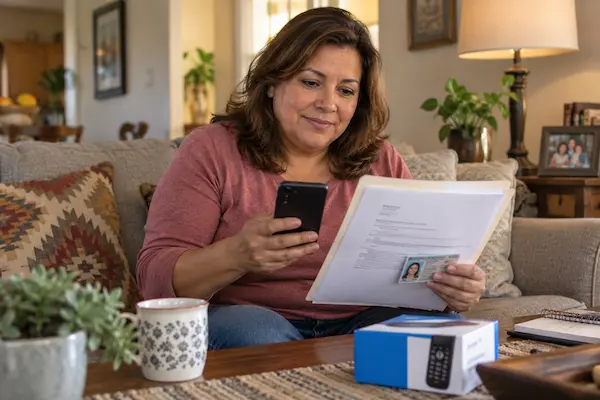
According to USAC, the standard benefit is a discount of up to $9.25 per month. Households on qualifying Tribal lands may receive an enhanced discount of up to $34.25 per month. These amounts can change, so confirm the current figure on the USAC Lifeline Support site before you count on it.
You may qualify in one of two ways. The first is income: USAC states that your household income must be at or below 135% of the Federal Poverty Guidelines. The exact dollar limit depends on your household size and your state, and it is updated each year, so check the current table on the USAC site.
The second way is program participation. You could be eligible if you, your child, or a dependent takes part in one of these programs:
- Supplemental Nutrition Assistance Program (SNAP), often called food stamps
- Medicaid
- Supplemental Security Income (SSI)
- Federal Public Housing Assistance (FPHA)
- Veterans Pension and Survivors Benefit
Residents of Tribal lands have extra qualifying programs, including Bureau of Indian Affairs General Assistance, Tribal TANF, Head Start (for income-qualifying households), and the Food Distribution Program on Indian Reservations. Lifeline is limited to one benefit per household, and a household is a group of people who live together and share income and expenses. Now that you know who may qualify, the next question is what the discount actually does for your budget.
What changes in your month with the Lifeline discount
The discount lowers the bill for the service you choose, so the money you were spending on connectivity stays in your pocket each month. For many households, the savings cover part of a phone plan or basic home internet.
Picture a common situation. Illustrative example: a parent works part time, receives SNAP, and pays for a prepaid phone plan every month. That phone is how the school reaches them, how shifts get scheduled, and how they check job listings. Every dollar on that bill competes with groceries.
After Lifeline approval, the parent picks a participating company and the monthly discount is applied to the plan. Some companies offer plans where the discount covers most or all of the cost, while others simply reduce the regular bill. The bridge between the two scenes is one online application and a few uploaded documents.
USAC checks eligibility every year through a process called recertification. If USAC can confirm you still qualify using its own data, you do nothing. If it cannot, you receive a notice and must respond within 60 days or the benefit ends. Keeping your contact details updated with the Lifeline Support Center is what protects the discount long term.
⚠️ Attention: applying for Lifeline is free. USAC and participating companies never charge an application fee. If someone asks for payment or your full bank details to “process” a Lifeline application, walk away.
Before you open the application, gather the paperwork. The next section shows what to have ready so you are not stopped halfway.
Documents you need before you apply for Lifeline
You need proof of identity, proof of address, and proof that you qualify, either by income or by program participation. USAC may not ask for every item, but having them scanned or photographed saves days of back and forth.
The National Verifier, the USAC system that checks applications, first tries to confirm your details automatically against government databases. When it cannot, it asks you to upload documents. Here is what people are most often asked for.
USAC says proof of income can be tax returns or pay stubs, and proof of program participation can be benefit letters or other official documents. Photos taken with your phone are accepted as long as the whole document is readable. With the paperwork in hand, you are ready for the application itself.
How to apply for Lifeline step by step
You can apply for Lifeline online, by mail, or through a participating phone or internet company, and the online route is the fastest. Residents of Oregon and Texas use their state’s own system instead of the national portal.
- 1Confirm you qualify by checking your household income against the current USAC limit or by picking the program you or a dependent participates in.
- 2Go to the official USAC Lifeline Support site and choose “Apply now” to open the National Verifier. Type the address yourself instead of clicking links in text messages.
- 3Create an account with your name, date of birth, address, and the last four digits of your Social Security number or your Tribal ID.
- 4Answer the eligibility questions and, if the system cannot verify you automatically, upload clear photos of the documents from the list above.
- 5Submit and save your application ID. You will need it to check status, to talk to the Lifeline Support Center, and to recertify later.
- 6Choose a participating company after approval and sign up for a plan. USAC states that you must pick a phone or internet company that offers Lifeline to start receiving the discount.
If you prefer paper, USAC lets you print the application in English or Spanish and mail it with copies of your documents to the Lifeline Support Center, PO Box 1000, Horseheads, NY 14845. You can also ask a participating company to help you apply. People with a disability who need help can call the Lifeline Support Center at (800) 234-9473.
Common mistakes that delay approval: a blurry document photo, an address that does not match the ID, and applying twice for the same household. If your application is denied, the notice tells you why, and you can fix the issue and apply again. Still have questions? The FAQ below covers the ones people ask most.
Frequently asked questions about the Lifeline application
These are the questions people search most often when they look up how to sign up for Lifeline.
How do I sign up for Lifeline if I do not have internet at home?
You can apply by mail using the printed form, or ask a participating phone or internet company to submit the application for you. Public libraries and many community centers also offer free computer access to use the online portal.
What are the Lifeline application steps for Oregon and Texas residents?
USAC states that residents of Oregon and Texas do not use the national portal. They apply through their state’s own Lifeline program website or by contacting a participating company in their state.
Can two people in the same home both get Lifeline?
Usually no. Lifeline allows one benefit per household. If you live at the same address as another Lifeline subscriber but do not share income and expenses, you may be asked to complete a household worksheet to show you are a separate household.
How long does it take to hear back after I apply for the Lifeline program?
If the National Verifier confirms your details automatically, you may see a decision right away. If documents are needed, the review takes longer. Check your status with your application ID or call the Lifeline Support Center.
What happens if I miss the recertification deadline?
USAC says you must respond within 60 days of the recertification notice or you lose the benefit. Your bill may go up or your free minutes may stop. If you still qualify, you can apply again from the start.
Can I apply for Lifeline using a child’s Medicaid or SNAP?
Yes. USAC states that you may qualify if your child or dependent participates in a qualifying program. You will need the benefit document showing the child’s name and the program.
How this site helps you with benefit programs
Our goal is to explain government and community programs in plain language so you can decide, apply, and avoid scams without paying anyone for “help.” Lifeline is one of several programs we cover in the Social Programs section, alongside energy bill assistance, food benefits, and ways to lower everyday household costs.
We write for people who read on a phone between shifts. That means short steps, the exact document names an agency will ask for, and a clear note whenever a dollar amount changes every year. When a rule has an exception, such as the separate systems for Oregon and Texas, we say so instead of hiding it.
✅ How we checked this information: the application methods, qualifying programs, income rule, benefit amounts, and recertification deadline come from the USAC Lifeline Support site (lifelinesupport.org), which USAC operates with FCC oversight. We reviewed the “How to apply,” “Do I qualify,” and “Recertify” pages for this article.
If a detail here ever conflicts with what USAC or your state program tells you, follow the official source. Programs update their rules, and the agency running the program always has the final word.
Start your Lifeline application today
You now know the whole path: check eligibility, gather your ID and proof, apply through the National Verifier, save your application ID, and pick a participating company. The first step takes minutes, and the discount may follow you for as long as you qualify.
Set aside 20 minutes tonight, photograph your documents in good light, and open the official USAC Lifeline Support site. If anything feels unclear, the Lifeline Support Center phone line exists exactly for that. Then come back to our Social Programs guides to see which other benefits your household may be eligible for.
ℹ️ Important: en.amucc.com.br is an independent informational site, not affiliated with any government agency or company mentioned, including USAC, the FCC, or any phone or internet provider. Eligibility is decided only by the program. Benefit amounts and rules can change; always confirm on the official Lifeline Support site.