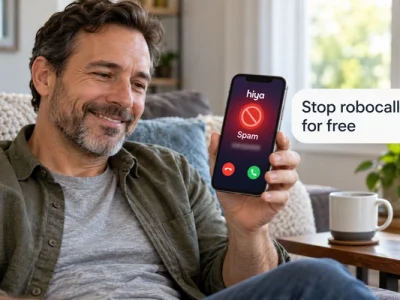
Here is how to stop spam calls on iPhone and Android using settings your phone already has, for free.
You will see the exact menu names, what each setting does to a call, and the one registry that never expires.
Read to the end and your phone will be quieter before dinner tonight.
How to stop spam calls with built-in settings
You stop most spam calls by turning on the call screening and spam filtering options built into iPhone and Android. Then you register your number with the National Do Not Call Registry.
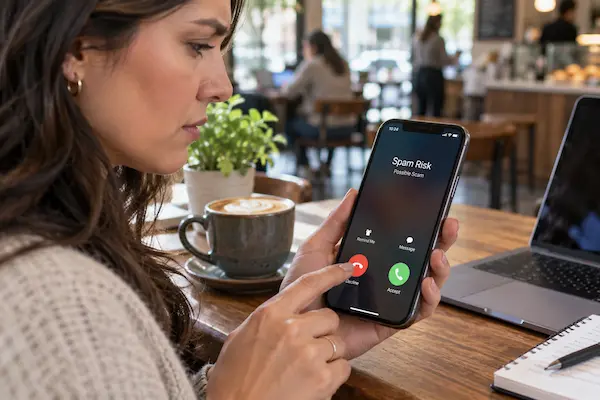
Neither Apple nor Google charges for these features. They work in three layers. The first layer labels suspicious calls. The second silences or filters them so your phone does not ring. The third lets you block and report a number after the fact.
Here is what each built-in tool does, according to Apple Support and Google’s Phone app help pages.
| Setting | What it does |
|---|---|
| iPhone: Screen Unknown Callers | Asks the caller why they are calling, or silences them |
| iPhone: Call Filtering | Moves unknown and spam calls to a separate list |
| Android: See caller ID and spam | Labels likely spam on the incoming call screen |
| Android: Filter spam calls | Stops the ring and the notification for likely spam |
| Do Not Call Registry | Blocks legal sales calls; registration never expires |
The Federal Trade Commission (FTC) is clear about the registry’s limits. It stops unwanted sales calls from real companies that follow the law, but it will not stop scammers making illegal calls. That is why the phone settings do the heavy lifting.
Turning these on takes two minutes. What they change in your day is the part most people underestimate.
What changes once your phone screens calls for you
Once screening is on, unknown numbers stop interrupting you, and the calls that matter still reach your voicemail or a list you can check.
Before: your phone rings during a meeting, a nap, or a drive. You glance at a number you do not know, decline it, and lose your focus anyway. Ten minutes later it happens again with a different number from the same area code.
After: the same call arrives silently. On iPhone, Apple says the Silence option automatically sends those calls to voicemail. On Android, Google says filtered calls stay in your call history, so you can still check them. You simply get no missed call or voicemail notification.
Illustrative example: a home health aide who cannot answer during shifts turns on screening on a Sunday. During the week, three robocalls arrive silently. A clinic calling from a new number leaves a voicemail, which the aide sees at lunch. Nothing important is lost, and nothing pointless rings.
⚠️ Attention: if you do pick up a robocall, hang up without pressing any key. Pressing a number to “opt out” tells the caller your line is active and can increase the calls.
The settings sit in slightly different places on each system, so here is the iPhone path first.
How to stop spam calls on iPhone
On iPhone, open Settings, then Apps, then Phone, and use the Screen Unknown Callers and Call Filtering options that Apple provides.
Apple Support describes Screen Unknown Callers with three choices: Never, Ask Reason for Calling, and Silence. With Ask Reason for Calling, the phone asks the caller to say why they are calling before it rings. With Silence, Apple says the phone automatically silences these calls and sends them to voicemail. The number still appears in your call list.
Call Filtering is the second tool. Under Settings, Apps, Phone, Call Filtering, turn on Unknown Callers. Apple explains that missed calls and voicemails from unknown numbers are moved to your Unknown Callers list. In the same menu you can activate the spam filter, which blocks calls your carrier or Apple flags as spam.
Ask Reason for Calling is the gentler option. Real callers can state a reason in a few words, and you decide whether to pick up. Robocalls usually hang up when asked.
Two limits are worth knowing. Apple notes that call screening does not work while roaming. On older software versions, Live Voicemail also needs to be on for screening to work. If a setting is missing, update your iPhone first.
To block a single number, open the Phone app, find the call in Recents, tap the info button next to it, and choose Block Caller. Blocked numbers cannot call, message or FaceTime you.
Android uses different names for the same ideas, and the path is next.
How to stop spam calls on Android step by step
You need the Google Phone app set as your default calling app. On Samsung and other phones the menu names differ slightly, but the same options exist.
- 1Open the Phone app, tap More options (the three dots), then Settings, then Caller ID and spam.
- 2Confirm See caller ID and spam is on. Google says it is on by default; it labels likely spam calls on the incoming screen.
- 3Turn on Filter spam calls. Suspected spam will not ring or notify you, but the calls stay in your call history and voicemail remains available.
- 4Block and report a number by tapping and holding a call in Recents, then choosing Block or Report spam.
- 5Register your number at DoNotCall.gov or by calling 1-888-382-1222 from the phone you want to register. The FTC says it is free and never expires.
- 6Check your carrier’s free tools. Major carriers offer their own spam labeling and blocking apps; ask which one is included in your plan.
Three mistakes are common. People turn on filtering and forget to check the filtered list for a real call. They block one number, and the caller swaps it. And they expect the registry to stop scammers. If a legitimate call gets labeled spam, Google lets you open it in Recents, tap Not spam, and unblock it.
Frequently asked questions about stopping robocalls
These are the questions people ask most after turning on the settings above.
How do I stop robocalls on my phone completely?
No single setting stops everything. The combination that comes closest is screening or filtering on the phone, your carrier’s spam tool, and the Do Not Call Registry. Add one habit: never press keys on a robocall. Scam callers change numbers constantly, so labels and filters matter more than blocking one number at a time.
Will I miss important calls if I stop spam calls on iPhone with Silence?
Silenced calls go to voicemail and still show in Recents, according to Apple. Save numbers for your doctor, school and employer as contacts so they ring normally. If you are waiting on a callback from a new number, switch to Ask Reason for Calling for that day.
Does Filter spam calls on Android delete the calls?
No. Google says filtered calls remain in your call history and you can still check voicemail. What you lose is the ring and the notification. Review the history once a day if you expect a call from an unknown number.
Why do I still get calls after joining the Do Not Call Registry?
The FTC explains that the registry only binds companies that follow the law. Political calls, charity calls, debt collection, surveys and purely informational calls are still allowed. Scammers ignore the list, which is why phone settings remain your main defense.
Where do I report a spam call?
The FTC takes reports at DoNotCall.gov. If you lost money to a scam call, report it at ReportFraud.ftc.gov. Include the number that called, the number you were told to call back, and the time of the call.
How this site helps you get more from your phone
The Apps and Tools section of en.amucc.com.br exists to turn confusing menus into short, tested paths like the ones above.
Every setting on this page was taken from Apple Support and Google’s Phone app help center. The registry facts come from the Federal Trade Commission. When a menu changes with an update, the guide is revised. The same section covers other everyday tools, from learning apps to delivery apps. The rule is always the same: name the source and show the exact steps.
If your phone runs an older version, some options may sit under Settings, Phone instead of Settings, Apps, Phone. The names of the toggles are the same, so search inside Settings for the word “spam” or “unknown”.
Turn on two settings today
You came here to learn how to stop spam calls. The answer fits in two moves: screen or filter unknown calls, and register your number.
Do it now while the phone is in your hand. iPhone users: Settings, Apps, Phone, then Screen Unknown Callers and Call Filtering. Android users: Phone app, Settings, Caller ID and spam, then Filter spam calls. Finish at DoNotCall.gov. The whole routine takes less time than one robocall.
Keep browsing the Apps and Tools section for other phone settings that save you time every day.
ℹ️ Important: en.amucc.com.br is an independent site, not affiliated with any government agency or company mentioned, including Apple, Google and the FTC. This content is informational only. Menu names can change with software updates; confirm the current steps in the official support pages.