Loading...

Spam Blocker App (Free)

Stop robocalls and scam texts before your phone rings.

Spam Blocker App V4
STAY PROTECTED

You will remain in the same website

Your phone rings. Unknown number, local area code. You answer and hear a recording about your car warranty, a fake package delivery, or someone pretending to be from Social Security. It happens several times a day, and the default settings on your phone barely slow it down.

Every one of those calls costs you time, focus, and sometimes much more. The Federal Trade Commission warns that scammers spoof caller ID to look like a government agency or a neighbor, and that the Do Not Call Registry will not stop illegal callers.

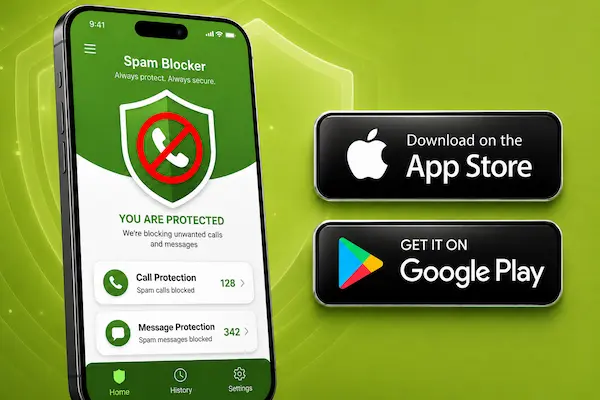
A spam blocker app changes the equation. It screens every incoming call against a live database of reported spam and fraud, labels or silences the bad ones, and lets your real contacts ring as usual. The free version of Hiya does this on iPhone and Android, with no carrier change and no plan upgrade. Below you will see what the app does, how it compares with the native tools already on your phone, and how to set it up in minutes.

Independent informational site. Not affiliated with any government agency, phone carrier or app developer, including Hiya, Apple, Google or Samsung. We do not process payments or ask for any fee to unlock an app. Download apps only from the App Store or Google Play. Guidance on unwanted calls: consumer.ftc.gov.

How A Spam Call Blocker Works On Your Phone

How a spam call blocker decides what to stop

When a call arrives, the app checks the number against reports from other users, carrier data and known robocall patterns. Numbers with a bad reputation are tagged as Spam or Fraud. You choose what happens next: block them silently, send them to voicemail, or let them ring with a warning label so you can decide.

The database updates daily because scam numbers rotate constantly. Saved contacts are never blocked, and an allow list makes sure your doctor, your child’s school or your employer always gets through.

Hiya also offers real time AI voice detection, which warns you when the voice on the line may be synthetic. The same technology is embedded in many Samsung phones.

Native tools versus a dedicated app

Your phone already has some defenses. On iPhone, the Silence Unknown Callers option sends any number not in your contacts straight to voicemail. On Android, the Google Phone app has a Caller ID and spam feature that warns you about suspected spam and can filter it automatically.

These options are worth turning on, but they are blunt: Silence Unknown Callers also mutes the pharmacy and the delivery driver. A dedicated app is more precise. It tells known fraud apart from a simple unknown number, covers text messages, and logs what it blocked. Many people run both.

What the free version includes

The free tier of Hiya identifies incoming numbers and blocks reported spam and fraud calls at no cost. A premium plan adds extras such as automatic blocking of every flagged category. It is optional. Remember the FTC rule: hang up on robocalls, do not press any key, and never pay to “activate” call protection.

Setting it up in a few minutes

Install the app from the App Store or Google Play and grant the permissions it requests. On iPhone, enable it under Settings, Phone, Call Blocking and Identification. On Android, accept the prompt to make it your caller ID and spam service.

Choose your protection level, add important numbers to the allow list, and you are done. If a scam still reaches you, report it at DoNotCall.gov, or at ReportFraud.ftc.gov if you lost money. The next page compares the best free spam blocker apps side by side, with the exact steps for each one.

Spam Blocker App: Common Questions

Is the spam blocker app free or will I be charged later?

The core protection is free and no card is required to install it. A premium plan with extra features is optional. If any call or message asks you to pay to "activate" call blocking, it is a scam.

Will it block calls from my doctor, school or employer?

No. Numbers saved in your contacts always ring, and you can add any other number to an allow list. The app targets reported spam, fraud and robocall patterns, not the people you know.

Do I need to change my carrier or phone plan?

No. The app installs from the App Store or Google Play like any other app and works on your current number right after setup. No carrier switch and no plan upgrade.

Is it better than Silence Unknown Callers on iPhone?

They work together. Silence Unknown Callers mutes every number outside your contacts, including legitimate ones. A spam blocker app tells known fraud apart from an ordinary unknown caller, screens texts, and shows you what it blocked.

This content was written by:

Luiz Maciel

Luiz Maciel

Communication enthusiast, Luiz specializes in developing content for websites.

Our site serves as an information hub, providing impartial and reliable content to the public.

All content from Amucc is protected by property laws. Unauthorized reproduction is strictly prohibited.

LEGAL NOTICE: Amucc technology, applications, careers, and general news. We have no affiliation with the brands mentioned and never request personal or banking information. Our mission is to inform our readers.

STAY PROTECTED

You will remain in the same website