Free protection available
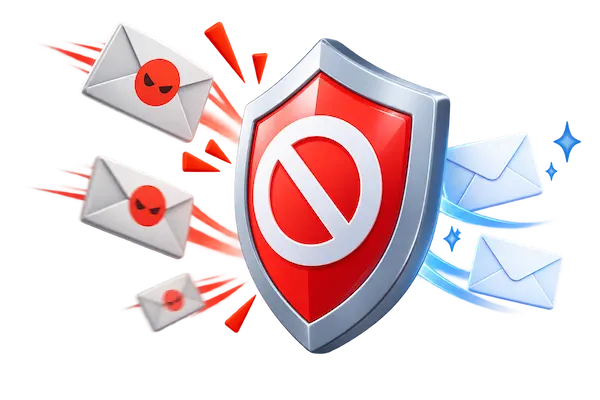 Block spam calls before they ring
 Block spam calls before they ring
Robocalls are cheap to send. One autodialer can push out thousands of calls per hour, and the people behind them only need a tiny fraction of us to pick up. That is why your phone keeps ringing with numbers you do not recognize, even after you registered on the Do Not Call list.
The Federal Trade Commission is clear about the limits of that list. In its guide on blocking unwanted calls, the FTC explains that the National Do Not Call Registry tells legitimate telemarketers which numbers to skip, but it will not stop scammers who ignore the law. Add caller ID spoofing to the mix, where a scammer displays a local area code or the name of a government office, and it becomes hard to trust anything on screen.
A spam blocker app fills that gap. Instead of relying on you to judge every ring, it checks the incoming number against a constantly updated database of reported spam, fraud and robocall patterns, then labels or silences the call before it interrupts you.
Think of it as a doorman for your phone line. When a call comes in, the app compares the number with reports from millions of other users, carrier data and known scam signatures. If the number has a bad reputation, the call is flagged as Spam or Fraud, sent straight to voicemail, or blocked completely, depending on the settings you choose.
Good apps also handle the gray area. Unknown numbers that are not in any database can be shown with a warning label so you decide whether to answer. Calls from people in your contacts always ring normally. And most tools now extend the same screening to text messages, since scammers move between calls and SMS all the time.
Some apps go further with real time voice analysis. Hiya, for example, offers AI voice detection that listens for synthetic speech during a call and warns you when the voice on the line may be generated by a machine. This matters because voice cloning has made fake calls from “family members” or “bank agents” far more convincing than the robotic recordings of the past.
The apps covered on the next page have a free version you can install today. Hiya, one of the most widely used options, lets you identify and block spam calls at no charge on both iPhone and Android. It is the same technology built into many Samsung phones and used by carriers around the world, and the company reports it protects hundreds of millions of people.
A premium plan usually exists as well. It typically unlocks extras such as automatic blocking of every flagged category, richer caller ID with names for unknown numbers, or protection for more than one device. You are never required to buy it. The free tier already handles the bulk of nuisance and scam calls for everyday users, so start there and upgrade only if you feel you need more.
One rule to remember: a legitimate app will never ask you for a fee inside a phone call or text to “activate” your protection. Install it only from the App Store or Google Play, and ignore any message that pressures you to pay by gift card or wire transfer.
Almost everyone with a smartphone gets unwanted calls, but some groups are targeted harder. Older adults receive a heavy share of scam attempts about Medicare, Social Security and fake tech support. Small business owners and freelancers cannot simply ignore unknown numbers, because a new client might be calling, so they need labels instead of blanket blocking. Parents and caregivers want to know a call from school or a clinic will always get through.
A spam blocker app serves each of these needs differently. You can allow your entire contact list, whitelist specific numbers such as your doctor or your child’s school, and still filter the robocall traffic that fills the rest of your day. If English is not your first language, the visual labels also make it easier to recognize a fraud call before you say a word.
You may also qualify for protection you already own. iPhones include a Silence Unknown Callers setting under the phone options, and the Google Phone app on Android has a built in Caller ID and spam feature. On the next page you will see how these native tools compare with a dedicated app, and when it makes sense to combine both.
The process is simple. Open the App Store on iPhone or Google Play on Android and search for the app by name. Install it, open it, and allow the permissions it requests for call identification and blocking. On iPhone this means enabling the app under Settings, Phone, Call Blocking and Identification. On Android you usually set the app as your caller ID and spam service when prompted.
Next, pick your protection level. Most people choose to block known fraud automatically and label suspected spam so it still rings quietly. Add any important numbers to your allow list. From that moment, the app screens incoming calls on your current number, with no carrier change and no plan upgrade.
Keep the app updated, because scam numbers rotate constantly and the database refreshes daily. If a scam call still slips through, hang up without pressing any key, and report it. The FTC recommends DoNotCall.gov for annoying calls and ReportFraud.ftc.gov when money was lost.
This site is independent and is not affiliated with any government agency, phone carrier or app developer. On the next page you will find a clear comparison of the best free spam blocker apps available right now, what each one does well, and step by step instructions to set it up on your phone. Tap the button above to continue.